
Keep municipal work moving from intake to completion
Coordinate cases, crews, contractors, inspections and public works through workflows with clear responsibility, deadlines and operational history.
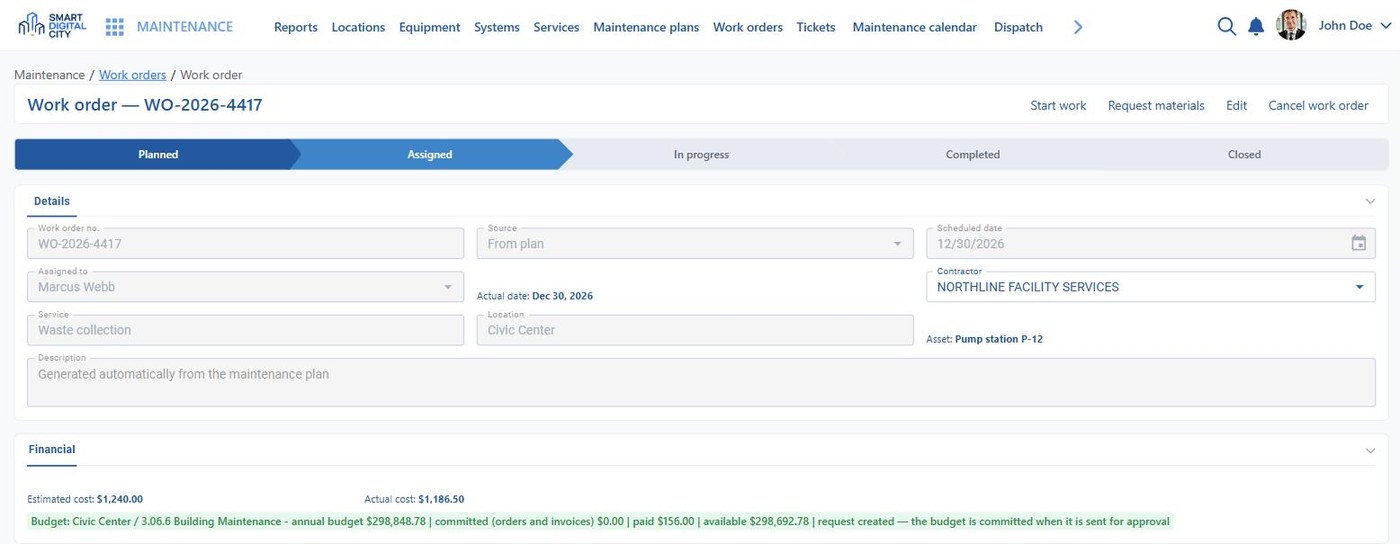
Connect office coordination with work in the field
Bring service requests, cases, work orders, inspections, crews and contractors into connected workflows so managers can assign responsibility, monitor deadlines and verify completed work.
Who this serves
- Public Works Director — sees the open backlog, who is on it and what was verified in the field.
- Operations Manager — assigns work across crews and contractors and tracks deadlines in one place.
- City Manager — follows responsibility across departments and the quality of the service delivered.
Municipal Operations solutions
Public Works Management
Coordinate potholes, streetlights, signs, parks and stormwater work across requests, assignments, crews, contractors and completed field activity.
See the solution page →Work Orders & Field Service
Plan the week by crew and shift, dispatch work orders with the job details attached, and record completion with evidence from the field.
See the solution page →Contractor & SLA Management
Assign contractor work, apply service targets by classification and priority, validate completion and retain the history of each assignment.
See the solution page →Inspections & Code Enforcement
Manage inspection records, assignments, findings, deadlines and follow-up actions through the same case and workflow engine used across operations.
See the solution page →Case & Workflow Management
Track numbered cases with owners, priorities, deadlines, approvals, escalations, notifications and a complete audit trail from intake through closure.
See the solution page →Government Workflow Automation
Configure data structures, forms, rules and workflows visually, then update procedures without starting a new development cycle.
See the solution page →From incoming work to verified completion
Keep responsibility and evidence attached to the same operational process from assignment through final review.
Receive
Requests and internal work enter as numbered records.
Assign
Department, crew or contractor takes ownership.
Execute
Field activity, findings and evidence are recorded.
Verify
A supervisor confirms the completed work.
Close
The record closes with its full history.
Explore the other families
Resident Services
Digital services and communication for residents
Explore resident services →Assets & Infrastructure
Connected information about the places and infrastructure a city manages
Explore assets & infrastructure →SMART+
Intelligence for connected urban operations
Discover SMART+ →Bring municipal operations into one workflow
See how Smart Digital City can connect cases, public works, inspections, field teams and contractors around shared operational records.