
Connect public assets to the work around them
Link assets, facilities, utilities and projects to location, service history, operational activity and performance data.
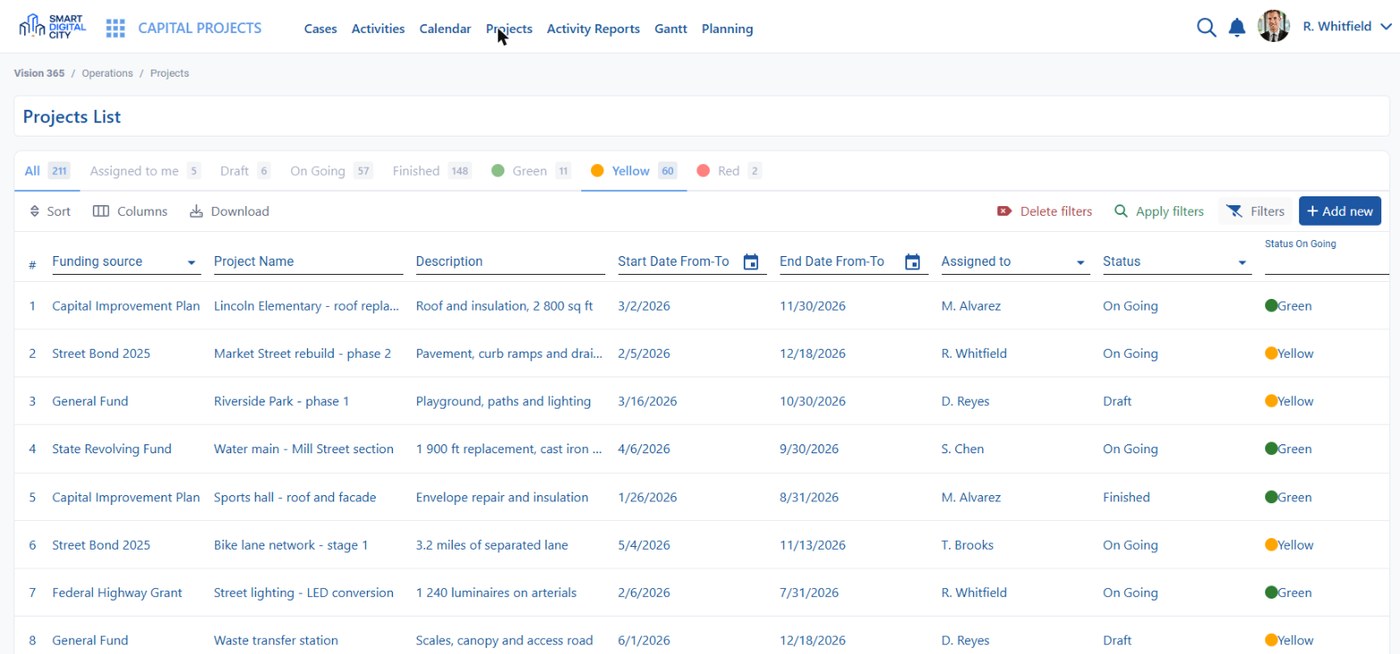
Put infrastructure in its operational context
Connect physical assets with maps, work records, inspections, facilities, utilities and performance data so teams can see where infrastructure is, what happened to it and what work remains.
Who this serves
- Asset Manager — keeps the inventory, condition and service history of what the city owns.
- Public Works Director — plans maintenance against the assets that actually need it.
- Capital Projects and Finance — follow project stages, budgets and what each investment produced.
Assets & Infrastructure solutions
Public Asset Management
Keep public assets connected to location, condition, service history, inspections and the work orders created around them.
See the solution page →Facilities Management
Organize public facilities as persistent records connected to location, operational history and the service activity associated with each site.
See the solution page →Utilities Operations
Connect utility infrastructure, service activity, field work and operational records so teams can follow work against the affected location or asset.
See the solution page →Capital Projects
Keep project-related records connected to the locations, assets and operational information that municipal teams need to follow over time.
See the solution page →GIS & Interactive Maps
Map requests, permits, assets, facilities, green spaces and sensors with layers, search, clustering, zones, heat maps and historical playback.
See the solution page →Data & Performance
Build no-code dashboards with pivots, KPIs, time series, maps, heat maps, drill-down, scheduled reports, alerts and export options.
See the solution page →From asset context to completed work
Start from the location or asset, identify required action, complete the work and keep the resulting history attached.
Locate
Start from the asset or the address on the map.
Review
Condition, inspections and service history in one view.
Plan
Schedule the work order or the capital activity.
Complete
Crews or contractors complete and document it.
Record
History and performance data stay attached to the asset.
Explore the other families
Resident Services
Digital services and communication for residents
Explore resident services →Municipal Operations
Workflows that coordinate departments and field delivery
Explore municipal operations →SMART+
Intelligence for connected urban operations
Discover SMART+ →See your infrastructure in operational context
Explore how maps, assets, service history, work records and performance data can stay connected across municipal operations.